 xonecas.io
README.md
Nimble Take Home Assignment (React)
Hello! Thank you for your interest in Nimble engineering. For this task, please implement a combination of React components to create a page with a list of candidates using the data found in src/data/candidates.json.
Do as much as you can in 3 hours. Please host your code on Github and share the repo link (via email to wgray@hirenimble.com and lauren@hirenimble.com).
About The Project
Specification (in order of priority)
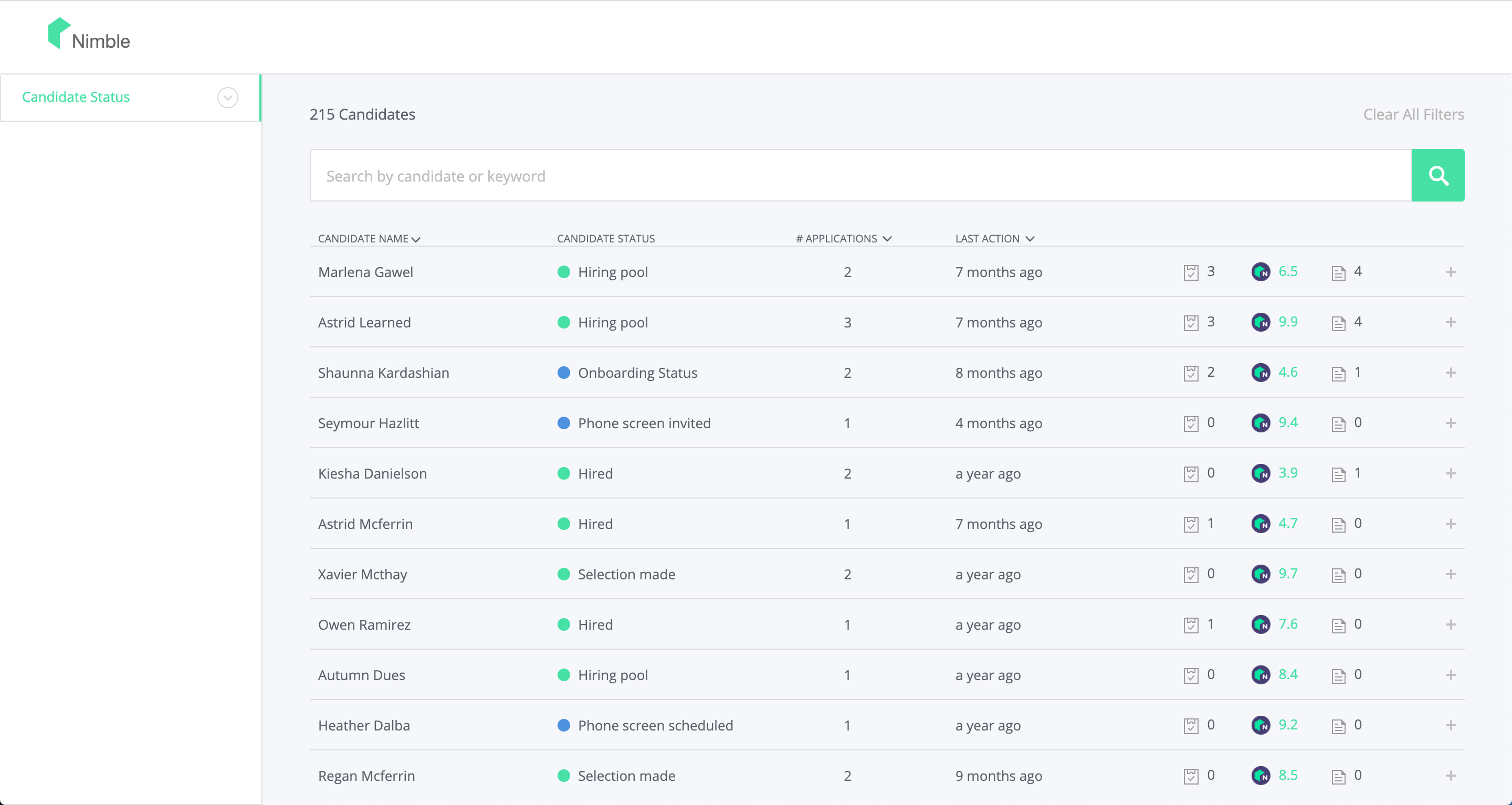
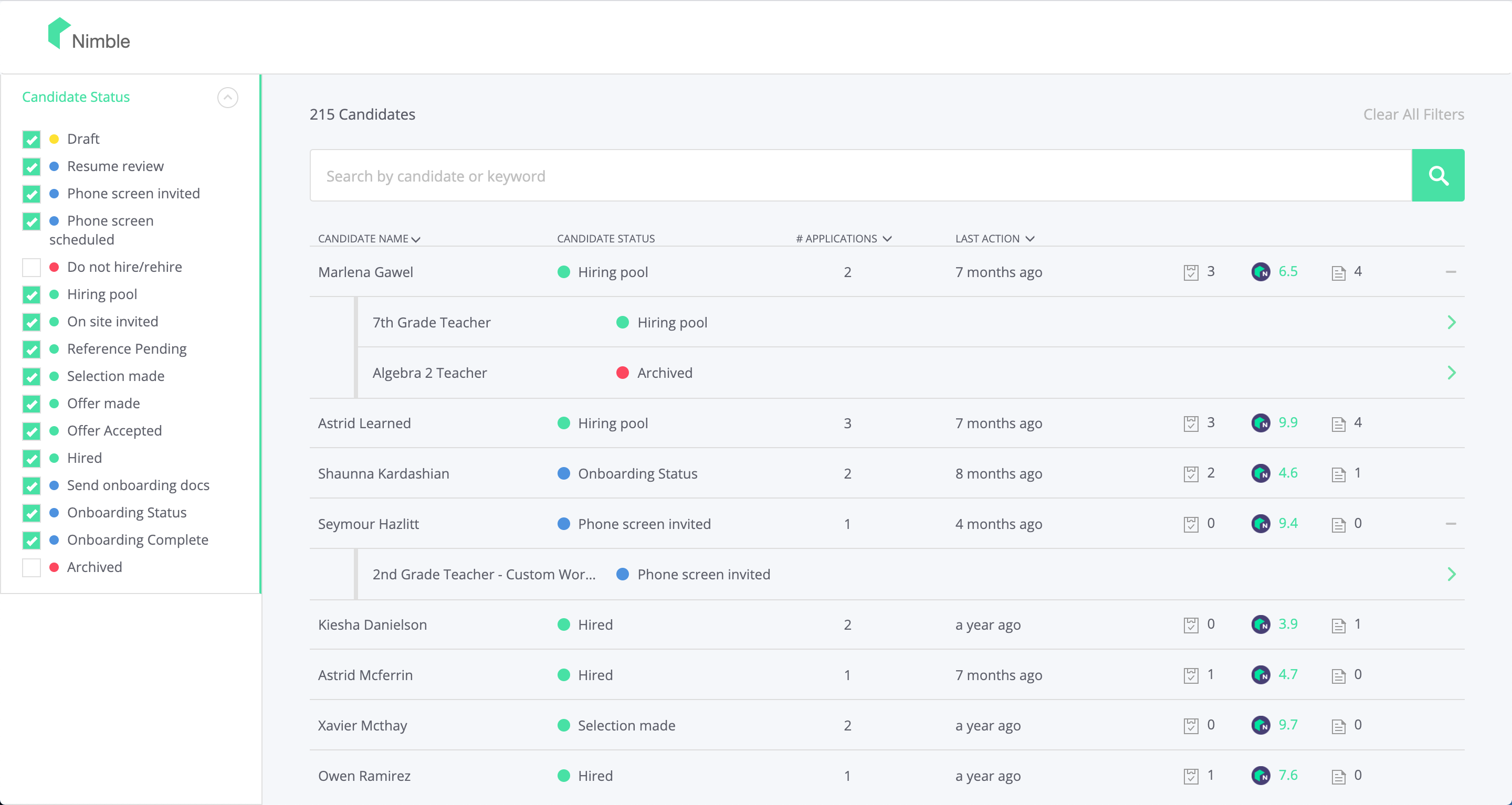
- When the user clicks a row in the list of candidates, it should expand a list of that candidate's applications (don't worry about schoolapplications). If the user clicks a row that is already expanded, it should close the list of that candidate's applications.
- When the user clicks an application line item, bring up a modal/overlay that shows all of the candidate information and information specific to that application/role. Some modal code has been provided in ui-kit, but feel free to use your own if you'd like.
- If you have time left, try to make the list UI as close as possible to the screenshots.
- If you still have time left, implement sorting or some way to filter the list of candidates, such as text search or status filtering.
Screenshots
Notes
- When in doubt, make an executive decision.
- Your components should work correctly in Chrome, don’t worry about cross-browser compatibility.
- Icons have been provided in ui-kit/icons.
- When you're done, please write a quick post-mortem on how you approached the problem, what tradeoffs you made and why, things we should look for, etc.
Getting Started
To get a local copy up and running follow these steps.
Installation
- Clone the repo
git clone https://github.com/NimbleHiring/coding-challenge.git
- Install NPM packages
npm install
- In the project directory, you can run:
yarn start
- Open http://localhost:3000 to view it in the browser.
Contact
William Gray - wgray@hirenimble.com
Lauren Dachille - lauren@hirenimble.com
Angela Rodriguez - angela@hirenimble.com