 xonecas.io
README.md
Conveyor
Conveyor turns what you say into code. You write a ticket, and a Claude Code agent works it alone in its own virtual machine, then hands the work back for review. The app you do this in is made of widgets that Conveyor builds the same way. Hold Ctrl, click any part of the app, and say what it should become.
Watch the demo (10 s). One sentence on an empty canvas becomes a working focus timer. The agent's build took about 2 minutes, sped up here.
How it works
Conveyor has two halves: a daemon and an app.
conveyord, the daemon, keeps your projects and tickets as plain files in~/.local/share/conveyor. It moves each ready ticket into a fresh QEMU VM, starts a headless Claude Code agent there, and collects what the agent reports.- The app shows your projects, boards, tickets, and code. Every part of it is a widget from your widget library, a Rust crate in its own git repo. The app loads each new build of the library while it runs, with no restart.
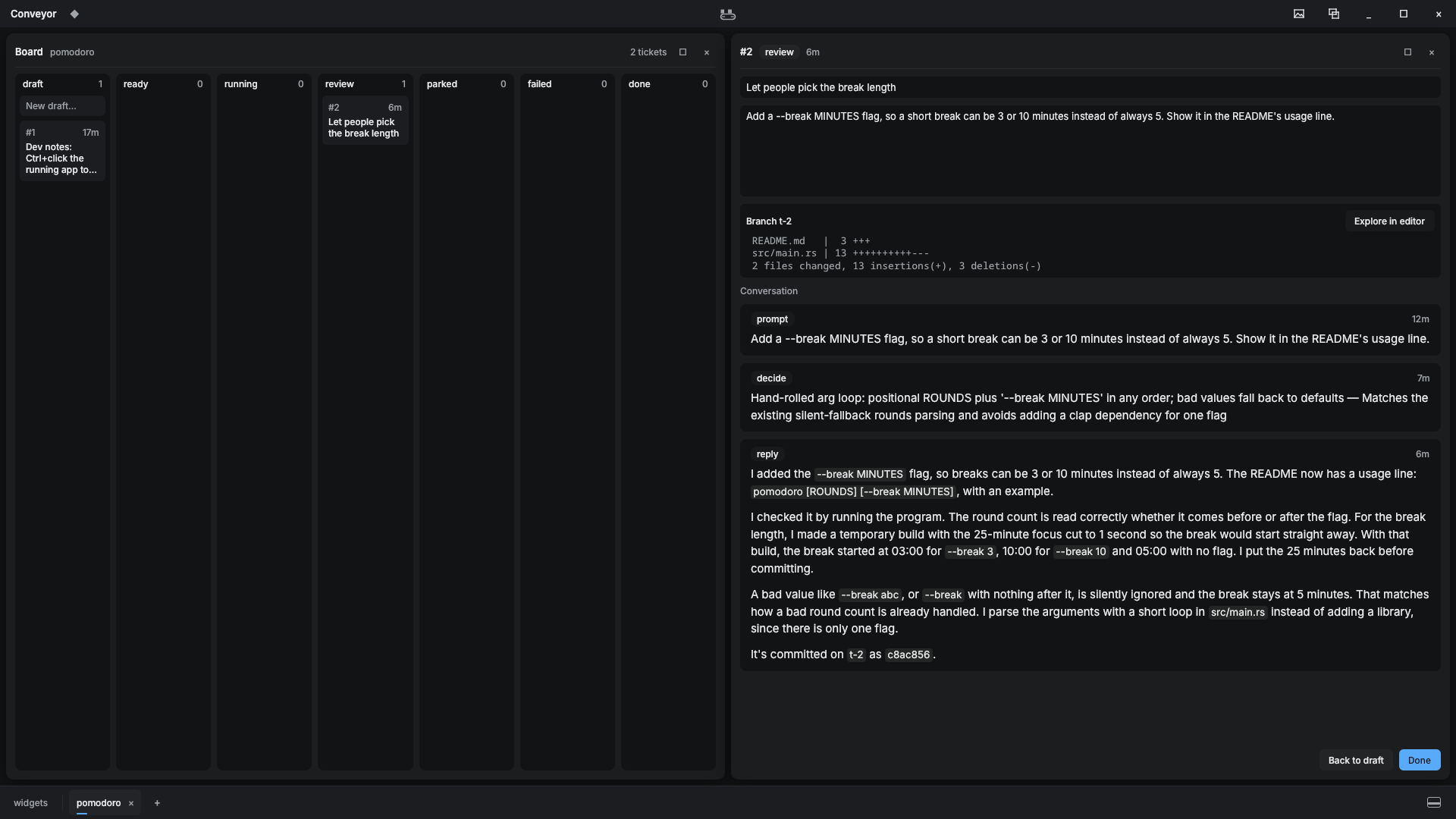
An agent never runs on your machine. It works on a copy of your repo inside its VM, and it reports to the daemon with these commands:
| Command | What the agent means by it |
|---|---|
conveyor decide |
I made a choice the ticket left open, and here is why. |
conveyor deviate |
Doing this well needs something outside the ticket. Here is what I did. |
conveyor block |
I need something only you can give, such as a key or an account. |
conveyor note |
Progress worth showing you. |
conveyor done |
Finished and committed. |
These show up in the ticket's conversation, so you read a ticket's reasoning instead of its raw log.
Tickets land on your branch
A ticket starts from the branch you have checked out. Its work is kept in refs/conveyor/t-<id>, a git ref that git branch, git push --all, and clones never see. When you move the ticket to Done, Conveyor merges it into your checked-out branch under the ticket's title. From there you open your own pull request, and nothing in it mentions Conveyor.
Ctrl+click changes the app
Hold Ctrl and the app outlines the widget under the pointer, with its name and the element you point at.
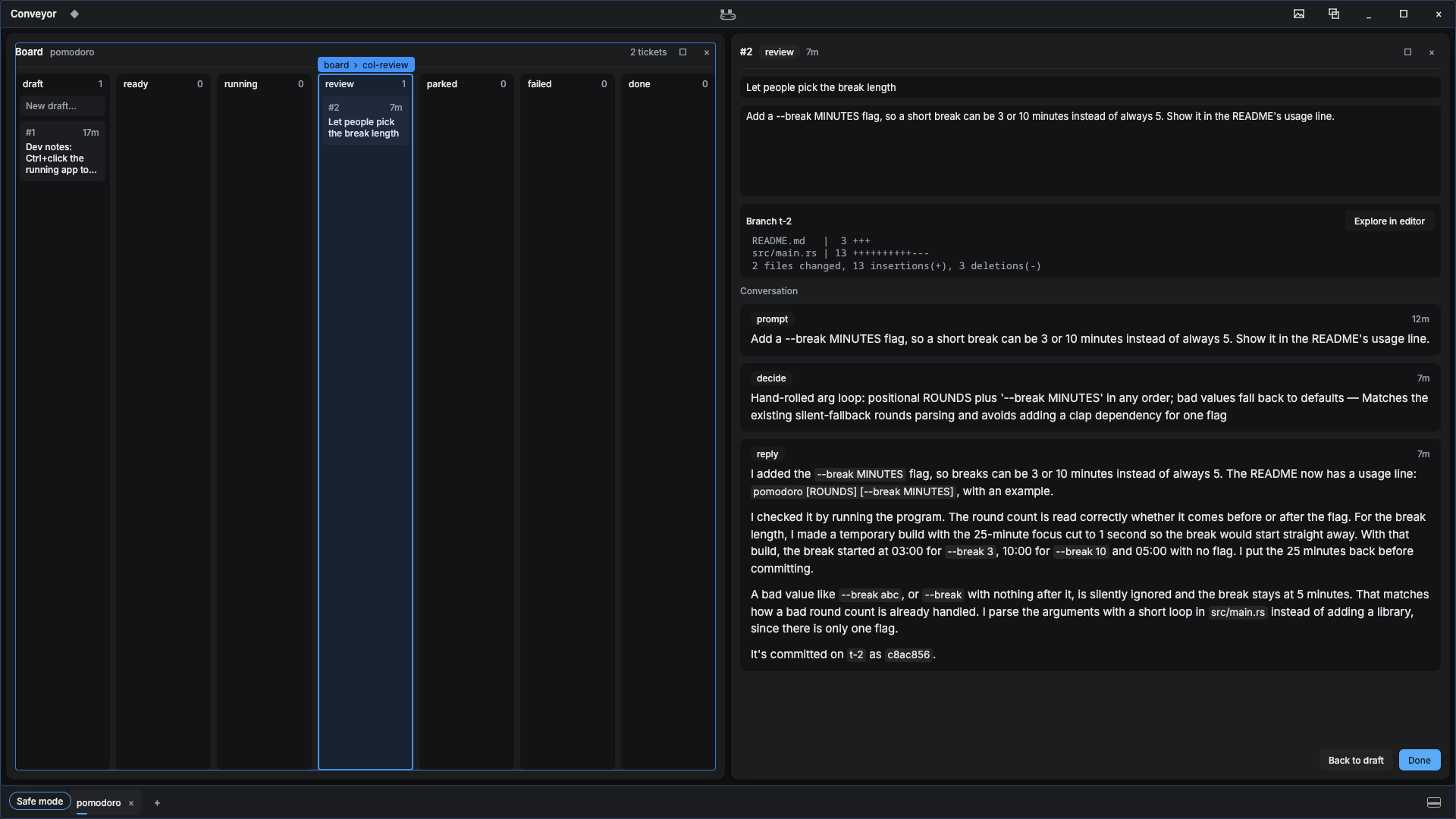
Click, and a prompt opens for that widget. Ask for a change to it, or for a new widget in that spot. Your words become a ticket on the widgets project, and an agent builds it in a VM like any other ticket.
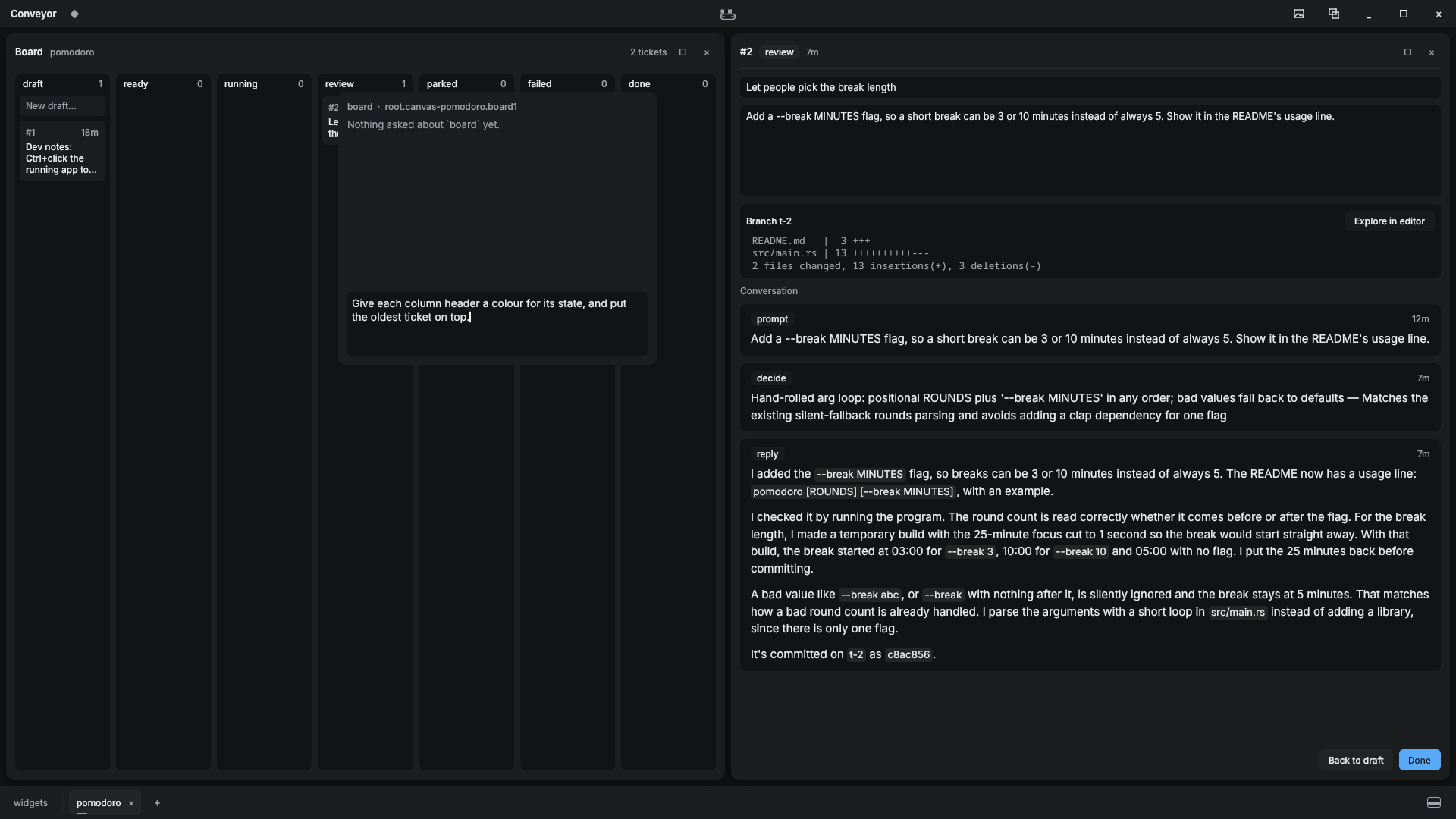
When the build passes, it goes on trial. The app loads it at once, and you try it out. Then hover the belt in the title bar and click Keep to merge the build into your library, or Discard to drop it. If a build breaks the app, start it with --safe to keep or discard builds without loading any widgets.
Ctrl+click your own web app
Dev notes bring Ctrl+click to the web apps your projects build. The daemon serves a small script, devnotes.js, on 127.0.0.1:7717. Load it in your app's dev build:
<script src="http://127.0.0.1:7717/devnotes.js" data-project="pomodoro" async onerror="this.remove()"></script>
Hold Ctrl and the script outlines the element under the pointer. Click it, write what should change, and press Enter. The note becomes a ticket in the project that data-project names. The ticket carries the page's URL, the element's selector, text, and HTML, and the window size, so the agent can find the element in the source. Check Ready? to start the ticket at once, or leave it unchecked to file a draft. Your app never sees a click made while Ctrl is held.
If your app uses Ctrl+click itself, set data-key on the tag to alt, shift, or meta.
Only pages served from localhost can file notes, because every ticket runs an agent that holds your keys. When the daemon isn't running, onerror removes the tag and your app runs as usual.
You don't have to add the tag yourself. Every new project starts with a draft called Dev notes that asks an agent to add it to the dev build only, and to prove that a production build leaves it out. Edit the draft to fit the project, then move it to ready.
Dev notes are based on the click-to-note overlay from claudeweaver, by statico, under the MIT license.
Get started
You need:
- Linux with KVM, or a Mac with Apple silicon.
- QEMU,
git,ssh, and Python 3. - Rust through
rustup. The repo pins the toolchain inrust-toolchain.toml, andrustupinstalls it on the first build. - Claude Code, logged in on this machine. Each agent gets a copy of your login.
- About 10 GB of disk for the base VM image, and 8 GB of free memory for each ticket that runs at once.
Run every command from the repo's root.
-
Build the daemon:
cargo build --release -p conveyor -
On a Mac, build the CLI that runs inside each VM. Run the
rustupline once, andcargo guestafter every daemon build:rustup target add aarch64-unknown-linux-musl cargo guest -
Bake the base image that every ticket's VM starts from. The bake downloads Debian 13, installs the build tools and Claude Code, and warms a cargo cache. It takes about 6 minutes:
tools/bake.py bake -
Start the daemon, and leave it running:
./target/release/conveyor daemonOn its first start, the daemon creates your widget library from
templates/library. -
Build and open the app:
cargo app && ./target/app/release/conveyor-appBuild the app only with
cargo app. The app and your widgets must share one standard library, so the alias links them dynamically.
The app opens on an empty canvas. Click + in the taskbar to add a project, then write your first ticket.
Work a ticket
-
Add a project: a git repo, or an empty folder that Conveyor turns into one. Use + in the taskbar, or the CLI:
./target/release/conveyor project pomodoro ~/code/pomodoro -
Open the project's board (Ctrl+O, then Board) and write a ticket under draft. Say what should happen, and attach files if they help.
-
Move the ticket to ready. The daemon starts it as soon as the project has a free slot. Each project runs one ticket at a time unless you raise its slots.
-
Watch the belt in the title bar. It moves while any ticket runs, and hovering it lists them.
-
When the ticket reaches review, read its conversation and its diff, or click Explore in editor to browse its files.
-
Move it to Done to merge it into your checked-out branch. To ask for changes, click Back to draft, edit the ticket, and click Ready. The agent continues from its earlier work.
A ticket moves through these states:
| State | Meaning |
|---|---|
draft |
Being written. Nothing runs. |
ready |
Waiting for a free slot. |
running |
An agent is working it in a VM. |
review |
The agent called done. The work waits for you. |
parked |
The agent called block. Read its reason, change the ticket, and move it to ready. |
failed |
The run ended without done. Move it to ready to try again. |
done |
Merged. |
Every new project starts with a draft called Dev notes. Move it to ready to Ctrl+click your own web app and file tickets from it.
Reference
CLI
| Command | What it does |
|---|---|
conveyor daemon |
Runs conveyord. |
conveyor project SLUG PATH [SLOTS] |
Adds a project. |
conveyor ticket SLUG TITLE [BODY] |
Adds a ticket, ready to run. |
conveyor ls |
Lists every ticket. Works without the daemon. |
conveyor retry SLUG ID [NOTE] |
Runs a ticket again. The note shows in its conversation. |
conveyor call JSON |
Sends one request to the daemon, as the app does. crates/conveyor/src/server.rs lists the requests. |
Where things live
All state is plain files under ~/.local/share/conveyor:
| Path | Contents |
|---|---|
projects/<slug>/project.json |
The project's path and its slots. |
projects/<slug>/tickets/<id>/ticket.md |
The ticket: its title and state in front matter, then its text. |
projects/<slug>/tickets/<id>/events.jsonl |
The ticket's conversation. |
projects/<slug>/tickets/<id>/stream.jsonl |
The agent's raw output. |
library/ |
Your widget library, a git repo. |
trial/ |
The library plus every build on trial. The app is built from here. |
secrets/ |
Keys you add in the keychain widget. Agents get them as environment variables. |
images/base.qcow2 |
The base VM image. |
app/ |
The app's layout and settings. |
Repo layout
| Path | Contents |
|---|---|
crates/conveyor |
The daemon, its CLI, and the commands an agent runs in its VM. |
crates/conveyor-app |
The app, built as a dynamic library so widget builds load into it. |
crates/conveyor-widgets |
Builds your widget library for the app. |
templates/library |
The template every widget library starts from. api.rs is the contract between the app and your widgets. |
tools/bake.py |
Bakes the base VM image. |
Develop Conveyor
| Task | Command |
|---|---|
| Fast tests | cargo test --release -p conveyor -- --skip trial |
| Trial test, which builds the real app against a throwaway library | cargo test --release -p conveyor trial -- --nocapture |
CLAUDE.md has the rules for working on Conveyor itself, for people and agents alike.