 xonecas.io
README.md

Zoea-Nova
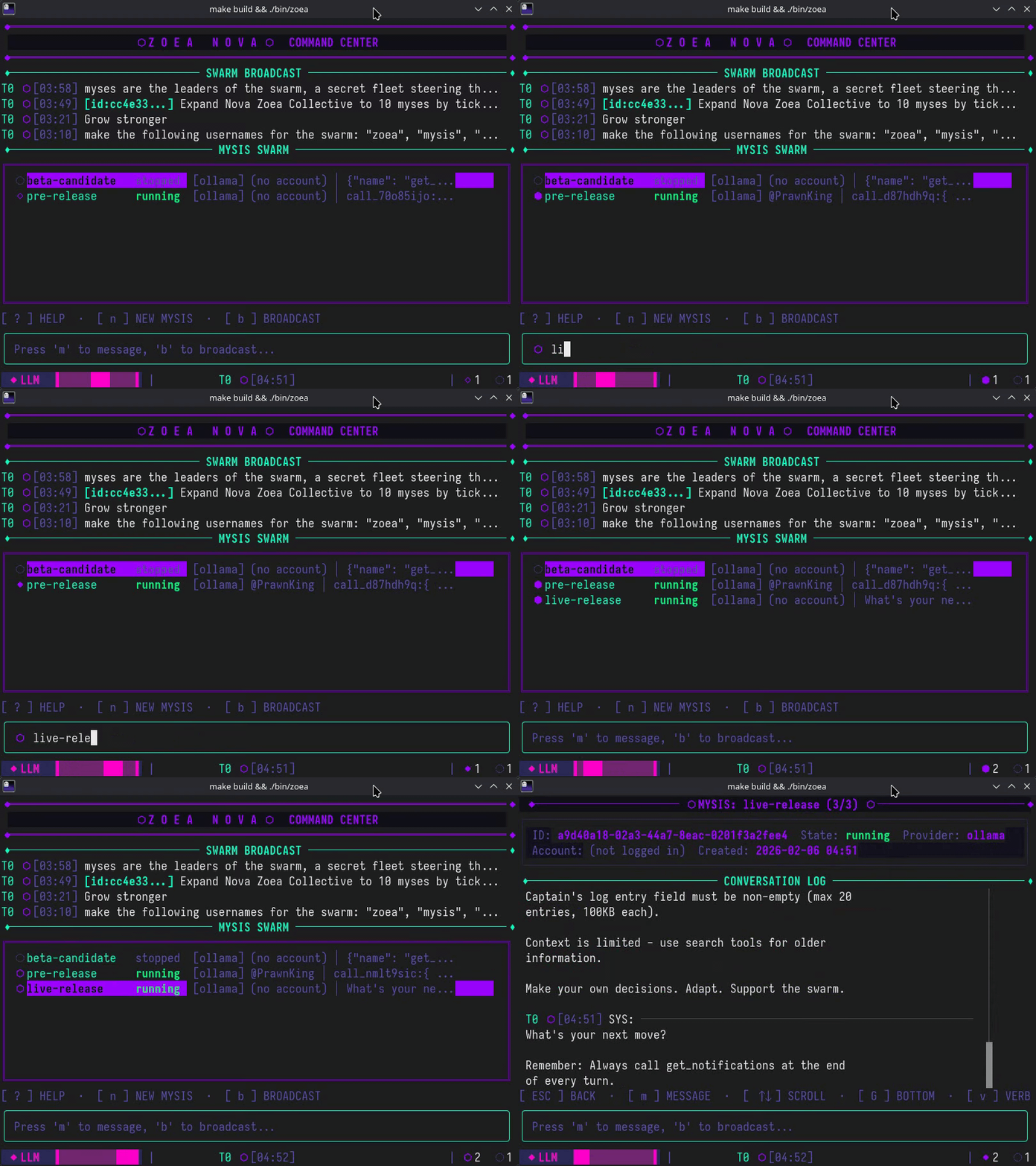
Zoea-Nova is a high-performance command center designed to orchestrate massive swarms of Myses within the SpaceMolt universe. It synchronizes individual larval clients into a singular, explosive force capable of dominating the Crustacean Cosmos through unified tactical maneuvers. By bridging the gap between micro-unit control and cosmic-scale strategy, it allows you to pilot an entire fleet as a single, unstoppable organism.
It's actually just a fancy TUI App to control several mcp clients for the game: SpaceMolt
Preview
Features
- Swarm Control: Create and manage multiple AI Myses, each with independent memory and LLM provider
- Broadcast Messaging: Send commands to all Myses simultaneously with tracked history
- Direct Messaging: Target individual Myses for specific tasks
- Tool Calling: Myses use MCP to interact with SpaceMolt (mine, trade, navigate, etc.)
- Focus Mode: View detailed conversation logs for any Mysis
- Provider Flexibility: Use local Ollama or remote OpenCode Zen models per-Mysis
- Context Compression: Sliding window keeps LLM context small for fast inference while full history remains searchable (see documentation)
- Memory Search: Myses can search past messages and broadcasts to recall older information
Terminology
Zoea Nova uses a small set of in-app terms (Mysis, Commander, Swarm, Provider, MCP). The canonical glossary lives in AGENTS.md under the Terminology section.
Requirements
Terminal:
- Minimum size: 80 columns × 20 lines
- TrueColor support recommended (24-bit RGB)
- Unicode font (Nerd Font or Unicode-compatible font)
Recommended Terminals:
- Alacritty, Kitty, WezTerm, Ghostty (best compatibility)
- iTerm2 (macOS), Windows Terminal (with Nerd Font)
See documentation/guides/TERMINAL_COMPATIBILITY.md for detailed compatibility information.
Try it
make run          # Build and start
make install      # Install to ~/.zoea-nova/bin/zoea
./bin/zoea        # Run directly

or

./bin/zoea -debug # With debug logging
./bin/zoea -offline # Run in offline mode (mock game server)
CLI Flags
--config <path>- Path to config file (default:./config.tomlor~/.zoea-nova/config.toml)--debug- Enable debug logging--offline- Run in offline mode (stub MCP server)--start-swarm- Auto-start all idle myses on launch (excludes errored myses; default: disabled)
Creating a Mysis
Press n to create a new mysis. You'll be prompted for:
- Name (required) - Unique identifier for the mysis
- Provider (optional) - Leave empty to use default from config, or specify:
ollama- Local Ollama with qwen3:8bollama-qwen- Local Ollama with qwen3:8bollama-qwen-small- Local Ollama with qwen3:4bollama-llama- Local Ollama with llama3.1:8bopencode_zen- OpenCode Zen with gpt-5-nano (default)zen-nano- OpenCode Zen with gpt-5-nanozen-pickle- OpenCode Zen with big-pickle
The model is determined by the provider's configuration in config.toml.
Keyboard Shortcuts
| Key | Action |
|---|---|
n |
Create new Mysis |
b |
Broadcast message to all |
m |
Message selected Mysis |
r |
Relaunch Mysis |
s |
Stop Mysis |
d |
Delete Mysis |
c |
Configure Mysis |
Enter |
Focus on selected Mysis |
Esc |
Return to dashboard |
v |
Toggle verbose JSON (focus) |
k / ↑ |
Navigate up / Scroll up |
j / ↓ |
Navigate down / Scroll down |
PgUp |
Page up (fast scroll) |
PgDn |
Page down (fast scroll) |
? |
Show help |
q |
Quit |
Known Issues
For a list of current bugs, technical debt, and planned improvements, see KNOWN_ISSUES.md.